The 5-Minute AI Transformation: Breaking Down the Exact ChatGPT Prompt I Used to Teach Image-to-Image Generation
A student recently approached me in a state of absolute amazement. He showed me a photograph on his phone and explained that a friend of his, whom he believed to be an elite-level graphic designer and photo editor, had completely transformed a basic, poorly lit image of him. In this edited photo, the student was suddenly wearing expensive, high-end clothing and was standing confidently inside a luxurious, dimly lit restaurant. The student was mesmerized, repeatedly emphasizing that his friend had executed this highly complex Photoshop manipulation in under five minutes.
Looking at the perfect lighting reflections on the clothing and the seamless edge blending around his hair, I instantly recognized the signature render style of a generative AI model. There was no complex manual masking, no dodging and burning, and no hours spent adjusting curves in Photoshop. It was a classic Image-to-Image (I2I) generation.
I looked at the student and told him that his friend was not an expert photo editor; he was simply someone who understood basic prompt structuring. To prove the point, I told him that I could take that same original, low-quality photograph and place him standing directly in front of the Eiffel Tower in Paris, with cinematic night lighting, in exactly the same amount of time. He was completely shocked and highly skeptical, unable to comprehend how that level of environmental manipulation was possible without hours of manual graphic design work. I opened ChatGPT, uploaded his image, and proceeded to demonstrate the exact workflow we use at CubeCod Technologies for rapid asset generation.
The Misconception of Manual Editing in the AI Era
The primary hurdle most beginners face when entering the world of generative AI is their foundational misunderstanding of how the tool actually operates. When that student saw his face seamlessly integrated into a high-end restaurant, his brain immediately defaulted to the traditional mechanics of graphic design. He assumed his friend had manually cut out his face using a pen tool, sourced a high-resolution background image of a restaurant, sourced a separate image of a suit, stitched the three distinct elements together, and then manually painted the environmental shadows and highlights to match the ambient lighting of the room.
That traditional workflow takes an experienced graphic designer hours to execute flawlessly. Because the student assumed this manual process was taking place, he attributed “expert” status to the person pressing the buttons. This is the fundamental disconnect I see repeatedly in the tech space.
Generative AI, specifically models like DALL-E 3 functioning within the ChatGPT interface, does not “edit” photos in the traditional sense. It does not cut, paste, or manually adjust opacities. When you upload an image to an AI vision model, it analyzes the pixel data, maps the facial landmarks, understands the core geometry of the subject, and then hallucinates an entirely new image from scratch using a latent noise space, heavily biased by the constraints of your text prompt. The AI reconstructs the subject based on the uploaded reference, merging the uploaded pixel identity with the requested environmental parameters.
Understanding this distinction is not just theoretical; it completely dictates how you must write your prompts. If you write a prompt asking the AI to “photoshop this person into Paris,” you are using the wrong terminology for the engine, and the model will often output a literal interpretation such as generating an image of a person sitting at a computer using Photoshop, with a picture of Paris on the screen. You must instruct the engine to generate a new reality using the uploaded image as a rigid character blueprint.
The Technical Execution of the Image-to-Image Upload
Before I even typed a single word of the prompt, I had to prepare the environment within ChatGPT. The student’s original photograph was a very standard, slightly blurry selfie taken in harsh daylight. When doing Image-to-Image generation to maintain strict facial consistency, the quality of the uploaded seed image dictates the ceiling of the final output.
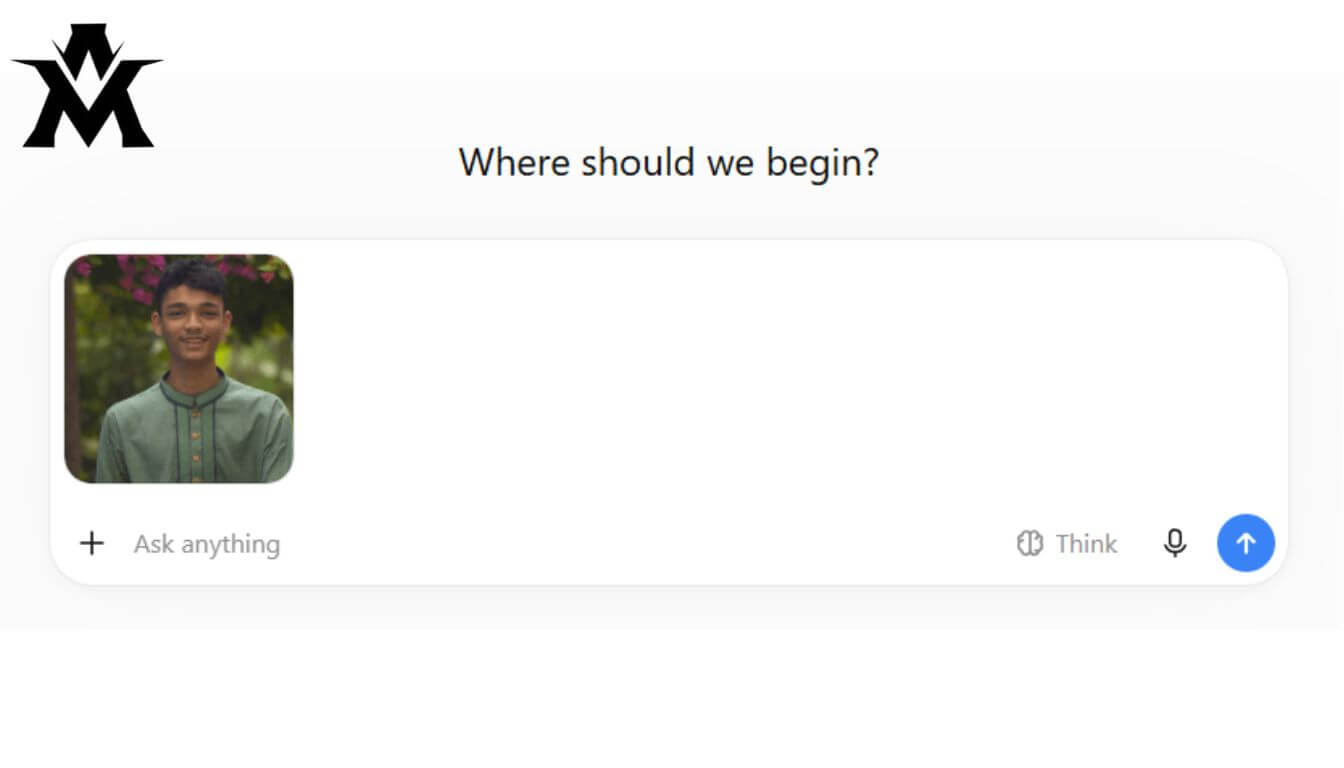
I uploaded the raw image directly into the ChatGPT interface. When doing this, the underlying GPT-4 Vision model first scans the image to create a semantic map of the subject. It registers the exact jawline, the spacing of the eyes, the hairstyle, and the general demographic structure of the face. However, vision models are highly prone to “identity drift” a common failure state where the AI understands the general vibe of the person (e.g., “young man with dark hair”) but completely fails to maintain the exact biometric likeness of the specific individual in the photograph.
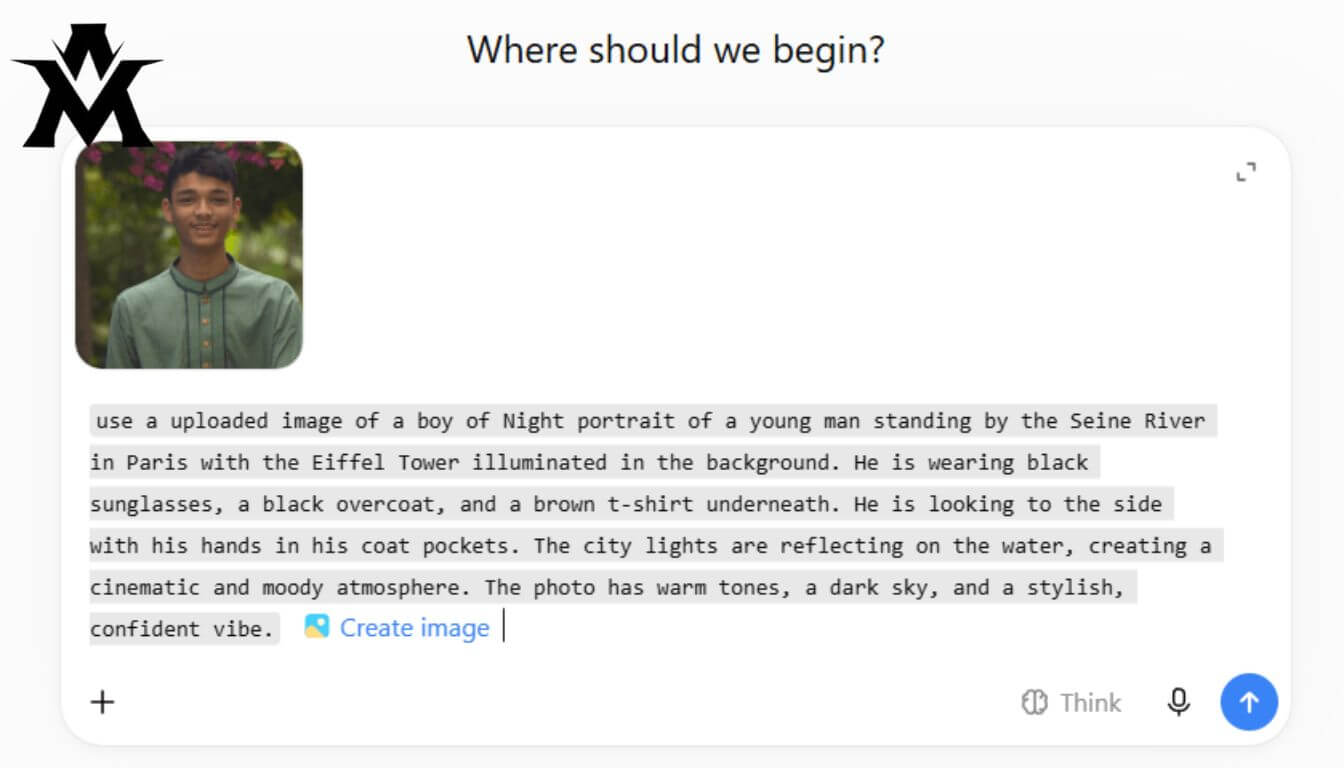
To counter identity drift, the prompt must act as a strict bounding box. You cannot just give the AI the background location; you must micromanage every single visual element of the frame so the AI’s rendering budget is spent entirely on preserving the face rather than hallucinating random clothing or bizarre lighting setups.
The Master Prompt Breakdown: Anatomy of a Cinematic Generation
To shock the student and prove the extreme capability of prompt engineering, I did not just ask for “a picture of this boy in Paris.” That would have resulted in a flat, generic tourist photo with poor lighting and a plastic, artificial texture. I engineered a highly specific, multi-layered text prompt designed to force the rendering engine into a cinematic, high-budget aesthetic.
Here is the exact prompt I typed into the interface:
"use a uploaded image of a boy of Night portrait of a young man standing by the Seine River in Paris with the Eiffel Tower illuminated in the background. He is wearing black sunglasses, a black overcoat, and a brown t-shirt underneath. He is looking to the side with his hands in his coat pockets. The city lights are reflecting on the water, creating a cinematic and moody atmosphere. The photo has warm tones, a dark sky, and a stylish, confident vibe."
To a beginner, this looks like a random paragraph of descriptive text. To a prompt engineer, this is a carefully constructed set of explicit instructions categorized into five distinct technical constraints: Anchor, Wardrobe, Posture, Lighting, and Color Grading. Let us tear down the architecture of this prompt line by line to understand why it works so flawlessly.
Constraint 1: The Environmental Anchor
The Prompt Segment: “Night portrait of a young man standing by the Seine River in Paris with the Eiffel Tower illuminated in the background.”
The very first instruction dictates the focal length, the time of day, and the exact geographic coordinates of the scene. By specifying “Night portrait,” I am instantly telling the engine to lock the framing. A portrait implies a shallow depth of field (bokeh) where the subject is sharp in the foreground and the background is slightly blurred. This is a crucial technique because blurring the background hides the tiny architectural hallucinations and rendering errors that AI models frequently make when drawing complex structures like the Eiffel Tower.
Specifying “the Seine River in Paris” provides the AI with a massive dataset of reference imagery. The model knows exactly what the stone walls of the Seine look like, how the streetlamps are shaped, and how the water ripples. Stating that the Eiffel Tower is “illuminated in the background” forces the engine to establish a massive, secondary light source behind the subject, which creates natural rim lighting on the subject’s shoulders, separating them beautifully from the dark night sky.
Constraint 2: The Wardrobe Override
The Prompt Segment: “He is wearing black sunglasses, a black overcoat, and a brown t-shirt underneath.”
One of the biggest mistakes beginners make when uploading reference photos is failing to declare the clothing. If you upload a photo of a person wearing a graphic hoodie, and you ask the AI to put them in a 1920s mafia setting without specifying clothing, the AI will suffer from rendering conflict. It will try to merge the modern graphic hoodie from the uploaded image with the 1920s aesthetic, resulting in a bizarre, mutated outfit that ruins the illusion.
By explicitly commanding the engine to render black sunglasses, a black overcoat, and a brown t-shirt, I am actively overriding the pixel data of the uploaded image’s clothing. I am telling the AI, “Keep the facial structure from the image, but completely discard the original clothing and replace it with this exact layer stack.” Black overcoats are exceptionally easy for AI models to render cleanly because the deep black shadows hide texture imperfections, while the brown t-shirt provides a subtle pop of contrast that prevents the subject from looking like a floating head in the dark.
Constraint 3: Posture and Framing Control
The Prompt Segment: “He is looking to the side with his hands in his coat pockets.”
AI generation models struggle immensely with human hands. If you leave the subject’s hands out in the open without specific instructions, the engine will frequently generate six fingers, twisted wrists, or bizarrely merged joints. By explicitly stating “hands in his coat pockets,” I am implementing a standard developer workaround. I am forcing the engine to hide the most problematic rendering elements entirely out of the frame.
Furthermore, commanding the subject to be “looking to the side” changes the dynamic of the portrait. AI models often generate very stiff, unnatural, direct eye-contact stares that feel creepy and artificial. Having the subject look off-camera creates a candid, documentary-style feel that tricks the human brain into perceiving the image as a real, captured moment rather than a mathematically generated grid of pixels.
Constraint 4: The Lighting Engine and Raytracing Simulation
The Prompt Segment: “The city lights are reflecting on the water, creating a cinematic and moody atmosphere.”
This is where the prompt elevates the output from a cheap Photoshop edit to a million-dollar cinematic shot. In a traditional 3D rendering engine or video game, raytracing is the process of calculating exactly how light bounces off wet surfaces. By telling the AI that “city lights are reflecting on the water,” I am forcing the model to calculate environmental reflections.
The engine must now generate warm orange and yellow streetlights, bounce them off the dark water of the Seine River, and cast those subtle reflections onto the side of the subject’s face and overcoat. This environmental light wrapping is what creates absolute realism. The phrase “cinematic and moody atmosphere” acts as a global lighting modifier, instructing the AI to increase the contrast ratio, deepening the blacks of the shadows and brightening the highlights, mimicking the aesthetic of a high-end cinema camera lens.
Constraint 5: Color Grading and Render Overrides
The Prompt Segment: “The photo has warm tones, a dark sky, and a stylish, confident vibe.”
Default AI image generations usually have a very distinct, oversaturated, plastic look to them. The colors are too perfect, the sky is too uniformly blue, and the skin looks airbrushed. To combat this, you must apply a final color grading layer via text.
“Warm tones” forces the AI to push the white balance towards the yellow and orange spectrum, making the night scene feel inviting rather than cold and clinical. A “dark sky” ensures the overall exposure of the image remains low, which is critical for making the illuminated Eiffel Tower stand out. Finally, instructing the AI to capture a “stylish, confident vibe” influences the micro-expressions on the generated face. The engine will subtly adjust the posture, the tilt of the head, and the resting state of the facial muscles to match the requested psychological tone, pulling the entire image together into one cohesive, realistic composition.
The Output and The Realization
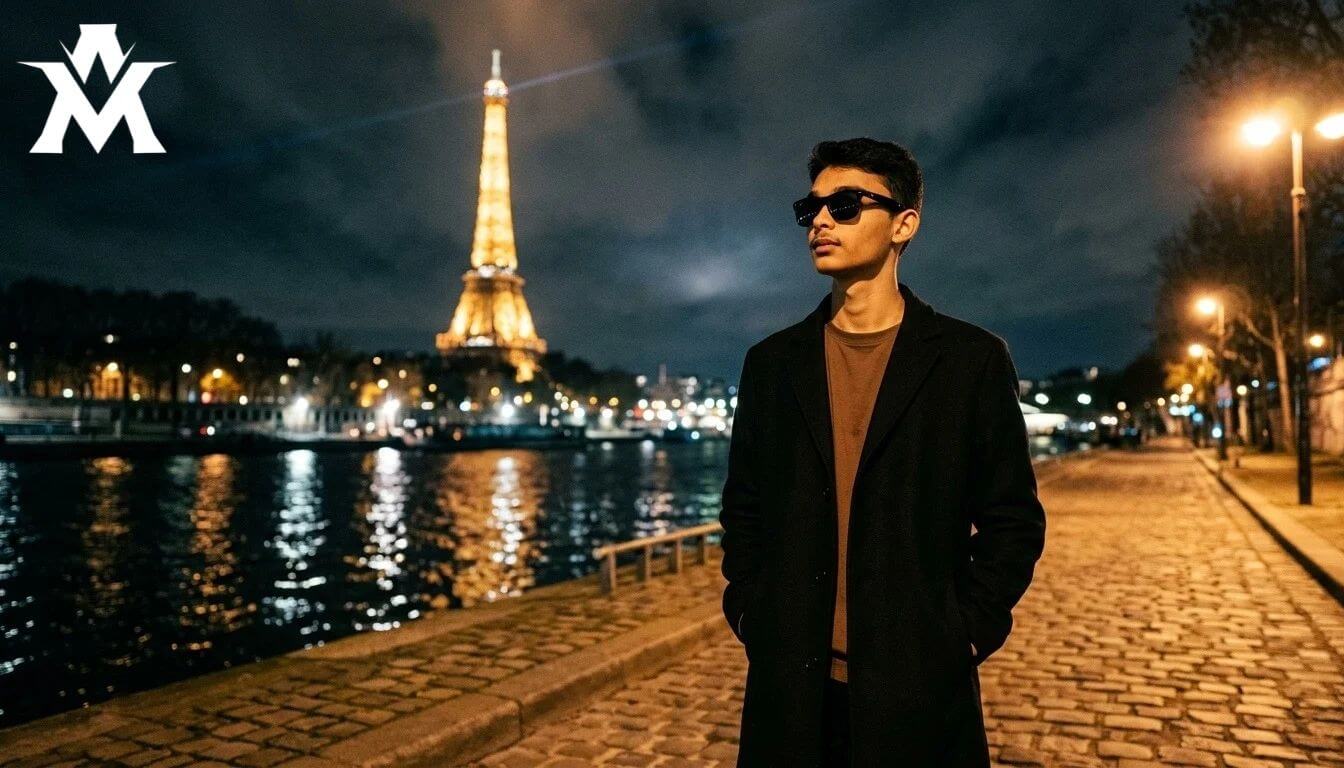
When I hit enter, the ChatGPT interface locked in, processed the vision mapping of the student’s uploaded image, compiled the prompt architecture, and began the generation. A few seconds later, the final image appeared on the screen.
The output was flawless. The student’s exact facial identity, mapped perfectly from a low-quality selfie, was now flawlessly integrated into a hyper-realistic, 4K-quality night portrait in Paris. The warm light from the Seine River bounced off the side of his jaw. The black overcoat draped naturally over his frame, and his hands were cleanly hidden in the pockets, avoiding any anatomical rendering errors. The Eiffel Tower loomed massively in the background, out of focus just enough to look like a true 85mm portrait lens shot.
The student stared at the screen, completely shocked. The illusion of his friend’s “expert 5-minute photo editing” was shattered instantly. He realized that the power did not lie in mastering complex graphic design software, but in understanding how to communicate precisely with a machine learning model. He immediately asked me to teach him how to write these prompts himself, realizing that the barrier to entry for high-end visual creation had completely evaporated. I closed the laptop, opened a blank document, and began teaching him the exact framework of prompt anatomy that we rely on daily at CubeCod Technologies.