
I was setting up a WooCommerce store for a project last week when a message came in from My new client who had been trying to launch their online store for three months. They had the products ready, the domain purchased, and a rough idea of what they wanted the site to look like. But every time they sat down to build it, they hit a wall too many options, too many plugins, too many conflicting tutorials telling them different things.
That story is not unusual. It is the most common reason people delay launching their store by months, sometimes years. The irony is that WooCommerce is genuinely one of the most straightforward ways to build a serious online store when you follow the right sequence and avoid the decisions that create technical debt down the road.
This guide covers the complete process from choosing your hosting to configuring your store settings in the order that actually works. Whether you are selling physical products, digital downloads, or services, the foundation is the same.
Step by Step: Creating an e-commerce site with WooCommerce
Before touching any settings or plugins, understand one thing: WooCommerce is a plugin that sits on top of WordPress. Your WordPress installation is the foundation. If the foundation is shaky wrong hosting, poor setup, no SSL everything built on top of it will be unstable. Get the foundation right first and the rest of the process becomes straightforward.
Download the Starter Resources
Before moving to the next step, download the starter images and CSS files that will accelerate your store setup: Download
The hosting decision is the one that most new store owners get wrong and it is the hardest mistake to fix after the fact. Migrating a live WooCommerce store to a new host is time-consuming, technically complex, and completely avoidable if you choose the right web hosting from the beginning.
What WooCommerce Actually Needs From a Host
WooCommerce is more resource-intensive than a standard WordPress blog. It runs database queries for every product page, every cart update, and every checkout interaction. A host that performs adequately for a simple blog will struggle under the load of an active store.
The minimum requirements for a WooCommerce host:
- PHP 8.0 or higher older PHP versions slow down WooCommerce significantly and create security vulnerabilities
- MySQL 8.0 or MariaDB 10.4+ the database engine that powers your product catalogue and order management
- At least 256MB PHP memory limit WooCommerce recommends 512MB for stores with a reasonable product catalogue
- SSD storage traditional hard drives are too slow for e-commerce database operations
- SSL certificate included non-negotiable for any store handling customer payment information
The Hosting Type Decision
Shared hosting is acceptable for brand new stores with low traffic under a few hundred visitors per day. It is the most affordable entry point and providers like Hostinger, GoDaddy, and Doctor Hoster offer WordPress-optimized shared plans that handle early-stage WooCommerce stores reliably. The key requirement is one-click WordPress installation which all serious providers include this eliminates the technical barrier of manual WordPress setup entirely.
Managed WordPress hosting is worth the additional cost once your store starts generating consistent revenue. Providers in this category handle server optimization, automatic updates, and security monitoring removing the maintenance burden from you so you can focus on the business.
VPS hosting becomes the right choice when your store scales beyond what shared hosting can support typically when you are processing hundreds of orders per month or running a large product catalogue with significant concurrent traffic.
The Real Cost of Cheap Hosting
Here is where most people trip up. They choose the cheapest shared plan available, launch their store, and then wonder why their checkout page takes six seconds to load and their conversion rate is poor.
Page load speed directly affects purchase decisions. Studies consistently show that every additional second of load time reduces conversions meaningfully. The cost difference between adequate hosting and inadequate hosting is often less than twenty dollars per month. The revenue difference can be significant from day one.
Choose a host that specializes in WordPress and WooCommerce not just one that supports it as an afterthought. The distinction matters in performance, support quality, and the availability of WooCommerce-specific optimizations.
2) Choose and Install a Suitable WooCommerce Theme
Once WordPress is installed on your hosting account, the theme decision is next. Your theme controls the visual presentation of your store how products are displayed, how the checkout flows, and how the site performs on mobile devices.
The Performance-First Approach to Theme Selection
The most common theme mistake is choosing based on visual appeal in a demo environment without considering real-world performance. A theme that looks stunning in a demo can be a performance nightmare on a live store if it is poorly coded or bloated with unnecessary features.
What to evaluate before choosing a theme:
- Page load speed test the theme demo using Google PageSpeed Insights before committing
- Mobile responsiveness over 60% of e-commerce traffic in 2026 comes from mobile devices
- WooCommerce compatibility the theme should be explicitly built and tested for WooCommerce
- Active development check when the theme was last updated; abandoned themes become security liabilities
Reliable theme options for WooCommerce in 2026:
- Astra lightweight, fast, and extensively compatible with WooCommerce and page builders
- OceanWP feature-rich with strong WooCommerce support and good performance on optimized hosting
- Storefront WooCommerce’s own official theme; not the most visually impressive but the most reliable for compatibility
- Kadence increasingly popular for its balance of performance and design flexibility
Installing Your Theme
- Go to WordPress Dashboard → Appearance → Themes → Add New
- Search for your chosen theme or upload the ZIP file if you have a premium theme
- Click Install then Activate
- Configure the theme settings according to your brand colors, typography, and layout preferences
Avoid installing multiple themes to test them on a live store. Each inactive theme is a potential security vulnerability. Install one, configure it properly, and commit to it.
3) Add Products to Your WooCommerce Store
With your hosting configured and theme installed, the next step is building your product catalogue. This is where most store owners spend the majority of their setup time and where the decisions you make early will determine how manageable your catalogue is as it grows.
Simple vs Variable Products
WooCommerce divides products into several types. The two you will use most frequently are simple and variable.
Simple products have no variations a single price, a single SKU, a single inventory count. A digital download, a fixed-price service, or a physical product that comes in only one version are all simple products.
Variable products have options size, color, material, or any other attribute that creates distinct versions of the same product. Each variation can have its own price, SKU, and inventory count. Setting up variable products correctly from the beginning saves significant administrative work later.
Product Image Standards
Product images have a direct impact on conversion rates. Blurry, inconsistently sized, or poorly lit images undermine trust regardless of how good the product actually is.
Practical image standards for WooCommerce:
- Minimum 800×800 pixels for product images WooCommerce uses these to generate thumbnails and zoom images
- Consistent aspect ratio across all products square images work best for most catalogue layouts
- White or neutral background for primary product images
- Compress images before uploading uncompressed images are one of the most common causes of slow WooCommerce stores
Categories, Tags, and Navigation
Organize your products into logical categories before you start adding them. Changing your category structure after adding hundreds of products is time-consuming and can create broken links if URLs change.
Category structure principles:
- Keep categories broad enough to contain multiple products but specific enough to be useful for navigation
- Limit category nesting to two levels parent category and subcategory to keep navigation clean
- Use tags for attributes that cut across categories material type, occasion, use case rather than creating excessive subcategories
Inventory Management Basics
Enable stock management from the beginning even if you are starting with a small catalogue. WooCommerce’s built-in inventory system tracks stock levels, prevents overselling, and sends low stock notifications.
- Go to WooCommerce → Settings → Products → Inventory
- Enable stock management at the product level
- Set your low stock threshold the point at which you want to be notified to reorder
- Configure out-of-stock visibility based on your preference
4) Configure Payment and Delivery Options
Payment and shipping configuration is where store owners lose the most sales not through technical failure but through friction. A checkout process that requires too many steps, lacks trusted payment options, or presents unexpected shipping costs at the final step will consistently drive customers away before they complete their purchase.
Payment Gateway Selection
WooCommerce supports a wide range of payment gateways through its extension library. The right choice depends on your target market, transaction volume, and the currencies you need to support.
The gateways worth evaluating:
- Stripe the strongest general-purpose choice for most stores; supports cards, Apple Pay, Google Pay, and local payment methods across global markets
- PayPal high consumer trust, particularly valuable if your audience includes customers who prefer not to enter card details directly
- Cash on Delivery relevant for markets where digital payment adoption is lower or for B2B stores with established client relationships
- Local gateways depending on your primary market, local payment solutions often have lower transaction fees and higher customer trust than international alternatives
To add a payment gateway go to WooCommerce → Settings → Payments and enable your chosen options. Each gateway has its own configuration screen where you enter your API credentials and customize the payment instructions shown to customers.
Checkout Optimization
The real kicker with checkout is that most abandoned carts are not caused by customers changing their minds they are caused by friction in the checkout process itself.
The changes that consistently reduce cart abandonment:
- Enable guest checkout forcing account creation before purchase is one of the highest-friction decisions you can make
- Minimize the number of fields in your checkout form only collect information you actually need
- Display security badges and SSL indicators prominently on the checkout page
- Show the total order cost including shipping before the final confirmation step surprise shipping costs at checkout are the single most cited reason for cart abandonment
Shipping Configuration
Go to WooCommerce → Settings → Shipping to configure your shipping zones and methods.
Shipping zones define geographic regions your home country, specific regions, international markets and allow you to set different rates and methods for each.
Shipping methods within each zone can include flat rate, free shipping above a threshold, and local pickup. The free shipping threshold strategy offering free shipping on orders above a certain value consistently increases average order value because customers add items to their cart to qualify.
5) Configure Store Settings
The final configuration step covers the settings that govern how your store operates day to day taxes, email notifications, inventory alerts, and currency.
Go to WooCommerce → Settings and work through each tab systematically.
General settings: Set your store address, selling locations, and currency. Your store address affects tax calculations so ensure it is accurate from the beginning.
Tax settings: Enable taxes if applicable to your business. WooCommerce can calculate taxes automatically based on customer location when configured correctly. If tax compliance is complex in your market, consider a dedicated tax plugin rather than manual configuration.
Email notifications: Configure the automated emails WooCommerce sends for new orders, order status updates, and customer communications. Customize the email templates with your brand colors and logo the default WooCommerce emails are functional but generic.
Inventory alerts: Set low stock and out-of-stock thresholds so you are notified before products run out rather than after customers attempt to purchase unavailable items.
The advantages of WordPress
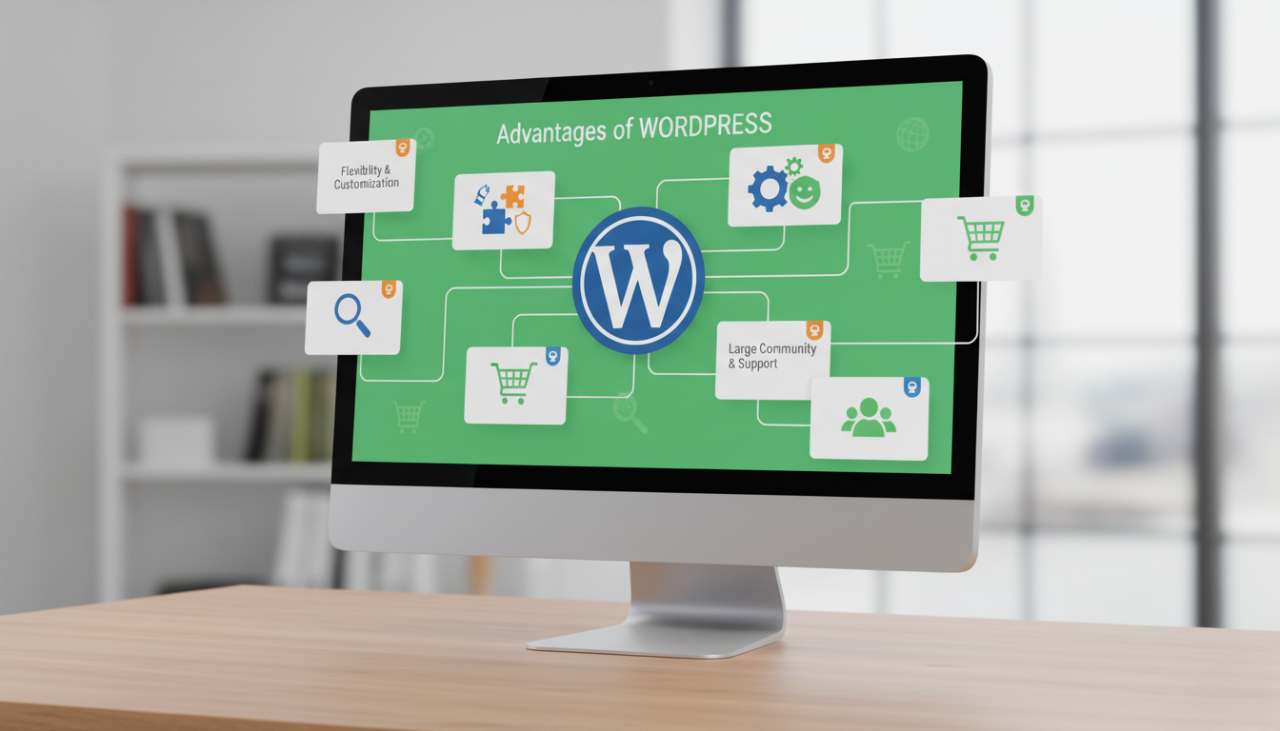
Let’s be honest about why WordPress remains the right foundation for a serious e-commerce store in 2026 despite the proliferation of SaaS alternatives.
Complete Ownership and Control
When you build on WordPress you own your store completely. Your data, your design, your customer records, and your content live on your hosting account under your control. There are no platform terms that can restrict what you sell, no sudden pricing changes that affect your margins, and no risk of your store being suspended because a platform company changed its policies.
SaaS platforms are convenient but they are rented infrastructure. You are building your business on someone else’s land.
Flexibility That Scales With Your Business
The customization advantages of WordPress are genuine:
- Thousands of WooCommerce-compatible themes covering every industry and aesthetic
- Page builders like Elementor and Gutenberg that allow non-developers to create custom layouts
- An extension library covering every e-commerce use case subscriptions, memberships, auctions, bookings, loyalty programmers, wholesale pricing, and more
- Direct code access for developers who need to implement custom functionality beyond what plugins provide
Content Marketing Integration
WordPress’s blogging capability is not a secondary feature it is a genuine competitive advantage for e-commerce stores that invest in content marketing. The ability to publish SEO-optimized articles, buying guides, and product comparisons directly on your store domain rather than on a separate blog compounds your organic search visibility over time in a way that standalone e-commerce platforms cannot match.
The advantages of WooCommerce
WooCommerce’s position as the most widely used e-commerce platform globally is not accidental. It earned that position by solving the right problems for the right audience.
Zero Commission on Sales
Unlike many SaaS e-commerce platforms that take a percentage of every transaction, WooCommerce charges no commission regardless of your revenue. Your costs are fixed hosting, domain, and any premium plugins you choose and they do not scale with your success.
For a store generating meaningful revenue, the commission savings compared to platforms that charge 1-2% per transaction can represent thousands of dollars annually.
Payment Gateway Freedom
WooCommerce’s compatibility with virtually every payment gateway available globally is one of its most practical advantages. You are never locked into a single payment provider or forced to use a platform’s own payment system.
Payment options WooCommerce supports:
- Card payments Stripe, PayPal, Mollie, Square, and dozens of regional providers
- Local payment methods relevant for stores serving markets where specific local payment rails have high adoption
- Alternative methods cash on delivery, bank transfer, cryptocurrency gateways
- Buy now pay later Klarna, Afterpay, and similar services through dedicated extensions
SEO Foundation
WooCommerce inherits WordPress’s SEO advantages clean URLs, customizable metadata, XML sitemap generation, and compatibility with leading SEO plugins like Yoast SEO and Rank Math. Every product page, category page, and blog post can be individually optimized for search visibility without technical barriers.
After Creating Your Online Store
Launching your store is the beginning, not the finish line. The decisions you make in the weeks and months after launch determine whether your store grows or stagnates.
Security Is Not Optional
A WooCommerce store handles customer payment information, personal data, and order records. Security failures are not just technical problems they are business-ending events.
The non-negotiable security baseline:
- Keep WordPress, WooCommerce, and all plugins updated the majority of WooCommerce security breaches exploit known vulnerabilities in outdated software
- Install a security plugin Wordfence or Sucuri provide firewall protection, malware scanning, and login security
- Set up automated backups UpdraftPlus or Jetpack Backup running daily backups stored off-server ensures you can recover from any incident
- Use strong, unique passwords for your WordPress admin, hosting account, and payment gateway dashboards
- Enable two-factor authentication on your WordPress admin account
Performance Maintenance
Store performance degrades over time without active maintenance. Database tables accumulate unnecessary data, image libraries grow without optimization, and plugin conflicts emerge as updates are applied.
Monthly maintenance habits:
- Run a database optimization using a plugin like WP-Optimize
- Review and remove plugins you are no longer using each inactive plugin is both a performance drag and a security risk
- Check your page load speed using Google PageSpeed Insights and address any new issues that have emerged
- Review your hosting resource usage and upgrade if you are consistently hitting limits
Scaling Your Store
The hosting and configuration that serves a new store well will eventually become the ceiling that limits a growing one. Plan your scaling path before you need it rather than after performance problems have already affected your customers.
The scaling signals to watch for:
- Page load times increasing without a clear cause often indicates you have outgrown your current hosting tier
- Database query times slowing a sign that your hosting’s database resources need upgrading
- Checkout errors during traffic spikes indicates insufficient server resources for concurrent transactions
A well-built WooCommerce store on quality hosting, maintained consistently and expanded thoughtfully, is capable of handling significant transaction volumes. The foundation you build today determines the ceiling you hit tomorrow.

