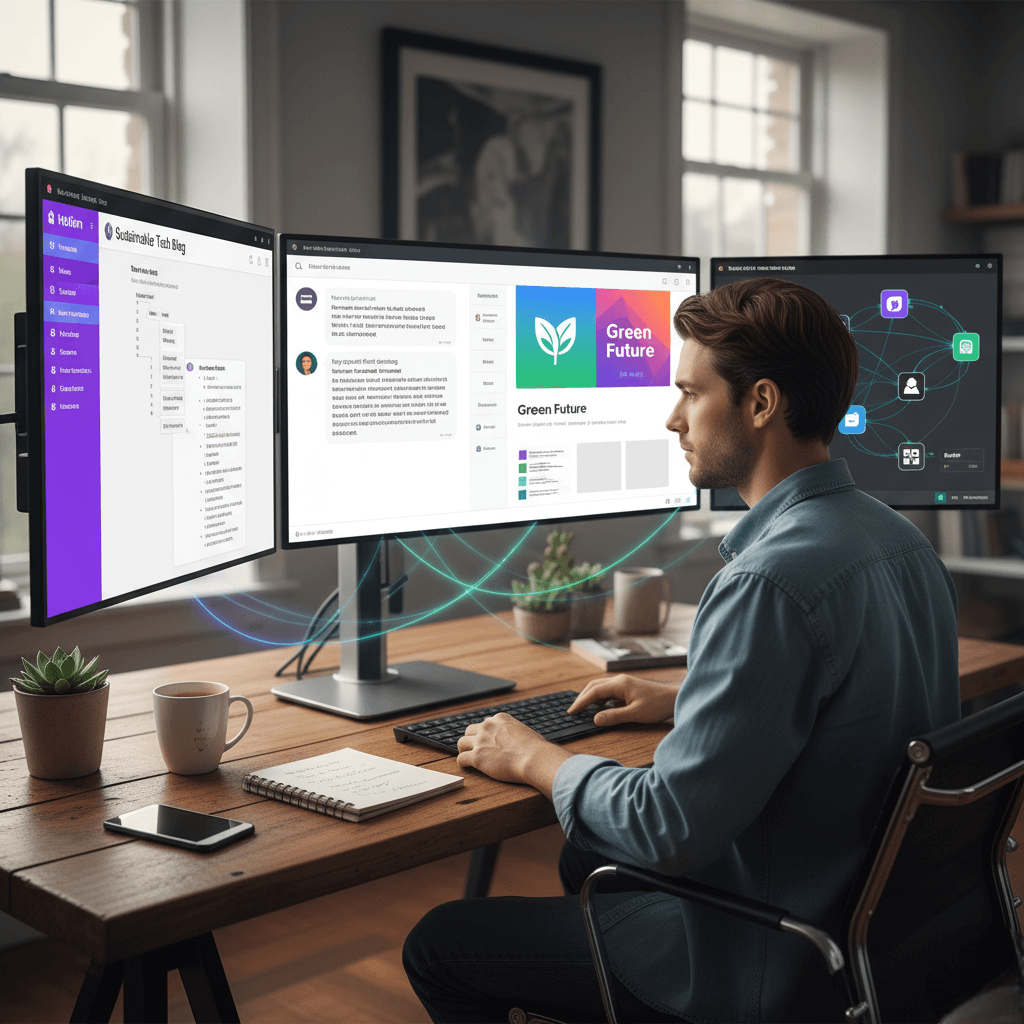
How AI Can Help Freelancers Save Time and Earn More

ammarmanzar

Artificial intelligence ceases to be something that freelancers read in technologic blogs and ask themselves when it will influence their activity. It is already here, already entrenched in the day-to-day activities of the most profitable and efficient freestanding professionals in all industries. Regardless of if you write articles or build brand identities, work on several projects at the same time, or a consultant on strategy and growth, AI tools have been integrated into your workflow as an internet connection that works reliably.

The transition occurred at a rate that was much quicker than the expectations of most persons. A few years back, AI-aided content generation was an illusion. Nowadays, freelancers who have not yet incorporated such tools in their practice are squandering hours per week on activities that can be finished in a few minutes by their competitors, who have AI. The divide between AI strategic users and AI non-users continues to expand every single month and by the 2025; the divide has become a real competitive disadvantage with non-users.

The present guide aims at bridging that gap. It discusses the finest AI applications that are offered to freelancers in all the leading fields of works, including writing and visual design, as well as client prospecting, project organization, and workflow automation. More importantly, it discusses how to select the right tools to your unique situation, how to integrate them into a focused system, and how to avoid the typical errors that do not allow freelancers to reap the real benefits in AI investments. At the conclusion, you will be able to see a clear understanding of just which tools are to be included in your stack and why.

Essential tips for growing your freelance business with AI

The best AI tools for freelancers

AI in a Freelancer’s Daily Life – 2025

Why AI Tools Have Become Essential for Freelancers

The key value addition of AI on the side of freelancers boils down to three items; time, quality and competitive positioning. The savings are short-term and quantifiable on the time front. In the past, doing tasks that required an hour like a client brief, content outline or writing variations of first copy or summarizing a long audio or video recording took a fraction of the time should the correct AI tool be used to do the first pass. This does not imply that the AI has to work on your behalf. It implies that the AI will remove the blank-page issue and deal with the mechanical and predictable aspects of an assignment so that you can dedicate your energy to those aspects of a task that actually need human intervention, imagination, and skills.

Regarding quality, AI tools produce a standardization effect which most of the freelancers do not consider until they can experience it. With the help of a library of prompts, templates and workflows that you have around your AI tools, your output will be more regular. The deliverables provided to clients are at a consistently high standard not depending upon how you feel, how much the deadline is pressuring you and how unpredictable the creative process can be. This is also among the factors that distinguish the highest-paid freelancers among others, and AI provides it with an extremely easier solution.

The competitive positioning has the ugly truth. Your customers will notice the difference between a freelancer who has decided to deliver good work in a short, tidy, and well-organized manner and a colleague who has a hard time in turnaround times and quality inconsistencies. Clients do not want to be aware of which tools you use. They only have to receive the outcomes, and the outcomes of optimized AI workflow speak themselves. When there are thousands of freelancers who could be hired by clients at any price a marketplace offers, it is a major plus to prove to be more efficient and more organized.

What’s the best AI tool for freelancers in 2025?

AI Helping Manage Projects

There isn’t one single best tool for everyone. For a versatile freelancer: ChatGPT for writing and ideation, Midjourney for visuals, Notion or ClickUp with their AI module for organizing and summarizing, and Zapier for automating repetitive tasks. Add specialized tools ( Apollo for prospecting, Fireflies/Otter for note-taking) depending on your specific needs.

AI is no longer an experimental bonus: it’s the backbone of successful freelance operations. By 2025, top freelancers will delegate to AI everything that is repetitive, predictable, or synthesizable: idea generation, writing basic text, creating images, extracting information, preparing emails, prototyping presentations, project tracking, and even qualifying leads.

This guide compares the best AI tools for freelancers in 2025, by category, with a comparison table (indicative prices, advantages, use cases) and concrete recommendations to choose according to your profession.

Why use AI tools when you’re a freelancer?


Time saving

  • Accelerated initial production : briefs, plans, article drafts, video scripts, visual prompts.
  • Quick summary : call summaries, extraction of actions to be taken, cross-cutting notes to maintain the overall view.
  • Pre-filling : email templates, LinkedIn messages, advertising taglines, product descriptions.

Automation of time-consuming tasks

  • Prospecting : contact research, pre-qualification, data enrichment, preparation of personalized messages.
  • Back office : sorting emails, CRM updates, synchronizations between tools (drive, documents, spreadsheets, invoices).
  • Recurring output : monthly reports, dashboards, data exports/imports, automatic archiving.

Productivity improvement

  • Less friction = more creative and strategic bandwidth.
  • Standardization : checklists, prompts, templates… everything becomes reproducible and improvable.
  • Traceability : centralized history, better documentation, better perceived quality from the customer’s perspective.

The best AI tools for freelancers in 2025

AI Tools for Writing and Content Creation

The most evident AI influence on the freelance work has been seen in writing, and this is also the place where the opportunities of using the tool are the most numerous and diverse. The trick is knowing what each tool is most appropriate at doing to be able to use the tool to the correct situations instead of attempting to find a one-size-fits-all solution.

In 2025, ChatGPT will be the most versatile writing tool to offer to freelancers. It is strong when having to deal with all types of writing: brainstorming pleas and generating structured notes, writing long-form writing, rewriting existing text, changing tone based on the audience, and working with instructions with multiple parts. When it comes to freelancers, the best way to do it is to create a personal library of prompts with the most frequent deliverables. A prompt that a client content brief looks will not be similar at all to a prompt that a LinkedIn post should be, or a sequence of product descriptions, and the funds invested in writing those prompts will be rewarded in months. Saving them in Notion means that this way they can always be on-hand and can be optimized as time goes by.

Jasper is in a narrower niche, tailored to market content with templates that are ready to use and need wireless ad scripts, landing pages, and email sequences. It also can serve well customers who desire a predictable repeatable content production process decoupled in favor of a more creative and less predictive creative approach. Copy.hp has become something different between the two, specializing in go-to-market processes and content automation that is efficient to freelancers who generate large volumes of marketing content to support growth-driven customers. Its agent capabilities have the ability to repurpose a single core message into a complete channel specific set of assets. The most successful writing AI tool should be regarded as a first-draft companion: you provide the plan, the outline, and the editorial taste, whereas the AI takes care of the primary product that you will work on afterward and make it unique.

Design & visual creation (Midjourney, Canva AI…)

Graphic Designer Using AI (3 Concept Directions)

The creation of impacts on visual content has been revolutionized by AI at least as radically as written content has, and to freelancers visibly working in design-related fields, the extrapolated impact is immense. Tools previously necessitating a high level of technical skill, or a rather costly software subscription, can now be acquired by anyone with the willingness to put in the time learning how to use them effectively as a prompting and workflow strategy.

The most serious visual freelancers have settled down to Midjourney to generate images of high quality. It has an outstanding output quality, especially in stylized, conceptual and mood-driven images, and its fast system provides advanced users with the fine-tuning ability to style, compose and aesthetic lead. Presentation material, concept art, moodboarding, or any similar stage of a project can be changed radically, in seconds, by Midjourney to freelancers w

The creation of impacts on visual content has been revolutionized by AI at least as radically as written content has, and to freelancers visibly working in design-related fields, the extrapolated impact is immense. Tools previously necessitating a high level of technical skill, or a rather costly software subscription, can now be acquired by anyone with the willingness to put in the time learning how to use them effectively as a prompting and workflow strategy.

The most serious visual freelancers have settled down to Midjourney to generate images of high quality. It has an outstanding output quality, especially in stylized, conceptual and mood-driven images, and its fast system provides advanced users with the fine-tuning ability to style, compose and aesthetic lead. Presentation material, concept art, moodboarding, or any similar stage of a project can be changed radically, in seconds, by Midjourney to freelancers who create brand visuals, presentation material, concept art, or editorial imagery. You do not need to spend hours searching libraries of stock or even fumbling about with crudely drawn sketches, but can make a series of refined visual directions in the time it used to take you to locate a usable reference picture. Keeping a collection of signature prompts that are constructed using the unique aesthetic policies of a particular client will be the guarantee that the visuals created by AI will still be consistent with the recognized brand image.

The Canva featuring AI can be used to a complementary yet different purpose. Where Midjourney is the leader in generating creative concepts, Canva is a leader in the rapid delivery of finished and practical work. All social media posters, presentation slides, email newsletters, document templates, and client reports are created more quickly in Canva than in any other application, especially with its AI-driven recommendations, auto-resizing of all types, and built-in library of media. It is necessary because the brand kit option is a feature that suits freelancers with multiple clients. Having a brand kit per client, with their specific fonts, colour codes, logo and approved imagery, would mean that anything you produce would be given the correct base and would take a shorter time to clean up before it is delivered to the client.

ho create brand visuals, presentation material, concept art, or editorial imagery. You do not need to spend hours searching libraries of stock or even fumbling about with crudely drawn sketches, but can make a series of refined visual directions in the time it used to take you to locate a usable reference picture. Keeping a collection of signature prompts that are constructed using the unique aesthetic policies of a particular client will be the guarantee that the visuals created by AI will still be consistent with the recognized brand image.

The Canva featuring AI can be used to a complementary yet different purpose. Where Midjourney is the leader in generating creative concepts, Canva is a leader in the rapid delivery of finished and practical work. All social media posters, presentation slides, email newsletters, document templates, and client reports are created more quickly in Canva than in any other application, especially with its AI-driven recommendations, auto-resizing of all types, and built-in library of media. It is necessary because the brand kit option is a feature that suits freelancers with multiple clients. Having a brand kit per client, with their specific fonts, colour codes, logo and approved imagery, would mean that anything you produce would be given the correct base and would take a shorter time to clean up before it is delivered to the client.

Prospecting & customer relations (Apollo, automated LinkedIn tools…)

Notion ClickUp Workspace With AI Summaries

AI Tools for Prospecting and Client Acquisition

New clients may be one of the most time-consuming and emotionally demanding spheres of the freelance life, yet this is also one of the areas where AI help promises some of the most real benefits. Prospecting is difficult not only in identifying potential clients but of identifying the right potential clients and getting them a message that is as personal and relevant as possible so that they respond. Every step of this process can be assisted using AI tools.

The freelancer who is B2B oriented like copywriters, consultants, strategists and creative studios will always use Apollo as a tool of structured prospecting. It will integrate a big B2B contact database with lead rating, sequence mail robotization, and message personalization with AI. The main secret of utilizing Apollo is that you should spend time at the beginning to make your views of an ideal client profile accurate. Apollo filtering and intent data capabilities can show you the real prospects that are truly interested in what you do, when you have the specific industry, size of the company, job role, and pain point that you are targeting as opposed to creating a long list of vaguely relevant contacts that you are going to have to go through manually.

PhantomBuster and Taplio are LinkedIn automation tools as well; they provide a social touch to prospecting that cannot be done with email. These aids assist freelancers in keeping active by ensuring the periodicity of postings, specific connection requests, and follow-ups. The notable particularity is that automation is most effective when there is a sense of more authentic interaction present. Fell short of genuine outreach Automated outreach (when it is mechanical) will damage your reputation on a platform where genuineness and thought leadership are real. Automation on the tedious administrative aspects of LinkedIn prospecting and use personal time on engaging in comments of interesting discussions and update content that can manifest your expertise. Your value proposition must be easy to understand and capture in one sentence, your sequences must be short with three or five messages and you should also monitor your open rates, response rates, and scheduled meetings to be able to keep improving on what works.

AI Tools for Project Organization and Management

The simultaneous management of several client relationships can be considered one of the characteristic issues of freelance mode. It is not difficult to lose briefs, miss the deadline, track down the feedback, and the quality of communication with the client in general suffers without well-developed organizational systems. The challenge is met by AI-enhanced project management tools, which are more affordable to capture, arrange, and take action on the information flowing through a full-scale freelance practice.

Notion AI

Notion and its built-in AI feature have become the home of most freelancers, and it is not without a cause. Its database and page, templates and currently AI-generated summaries and content make it one pretty flexible workspace that can easily host client briefs and editorial calendars as well as regular operating procedures and financial tracking. The best solution to using Notion as a freelancer is to have a separate client space, also known as a Client OS, in each active client relationship. It is a space with all the details regarding such a client: their brand guidelines, active briefs, status of the delivered, communication history, approved assets and any decisions or feedback which had been exchanged. The answer to a question always be in an identical position when it arises in a project thereby eradicating the issue of scattered information, which in a case of a normal freelance practice consumes volumes of time.

ClickUp AI

ClickUp and its AI usage proposes a more organized project management strategy that is more common to freelancers working with multi-phase deliverables of a complex and extensive set of dependencies. Its AI assistant can summarize task description, create checklists based on plain-text briefs, create status updates and keep clear documentation of multiple projects based on a single task. The contextuality of the AI capabilities of ClickUp, in that the AI gets access to the contents of the task or folder that it is helping out with, allows its suggestions to be more applicable and helpful compared to a generic AI chat interface would do under the same circumstances.

Trello AI

Trello is still a good idea among freelancers who like Kanban view of workflow management. Its simplicity is truly useful to individuals who become intimidated by more complicated tools or that have a project line that is relatively simple in nature. Atlassian Intelligence allows now writing and searching with the help of AI, and thus the trello boards become less clumsy and easier to use, without losing the transparency and simplicity with which the tool has gained its initial popularity.

Cross-functional tools & productivity (Zapier, Fireflies.ai, transcription, etc.)

Zapier-style Automation Flow

The actual strength of an AI-enhanced freelance workflow does not lie in any of the tools themselves but in the relationships between tools. Automation systems that enable various applications to communicate and interact with one another may remove this or that type of manual repetitive labour that is presently absorbing the weeks of a freelancer with no apparent benefit to the client.

The most popular automation platform is Zapier, which is a popular platform among freelancers and whose capabilities to execute AI functions have enhanced it to become far more powerful. Where in the past Zapier simply transferred data between the different applications that were initially never altered, now it can very well do the same on the way it transfers data between applications with the use of AI. Auto-enrichment, categorization, and addition to your CRM of a new lead can be undertaken using a contact form and a personalized follow-up email is drafted and is ready to review. Two of the completed deliverables can facilitate an automatic notification of clients, drive archive, and a message on Slack all without input intervention. The most effective way to approach Zapier is to begin with one or two high-value automations that solve the most painful manual processes and write down notes on them and slowly add more over time as you become comfortable with the platform.

Fireflies.ai and Otter.ai address a particular, yet highly ubiquitous freelance issue: the time and cognitive load needed to maintain proper records about meetings with the clients. Both tools will automatically enter your video calls and create transcripts in real-time and create a summary with action items that will be extracted at the end of the call. On the side of consultants, project managers and any other freelancer who has to spend considerable amount of time in client discovery and review meetings, the tools could save between thirty minutes and more depending on the length of session that would have been spent writing down notes. The summaries may be forwarded to your clients as meeting recaps, listed in your project management tool as a task, or add them in your Notion client space as a permanent representation of your decisions and agreements.

Best practices (automation)

AI Automating Prospecting

It is the freelancer who consists of podcast content, makes records in the form of training or any other kind of content who will find Descript to be especially useful, as it will add AI functionality to the workflows of audio and video, allowing them to produce the content independently. It is text-based so that you can edit audio and video by making changes to the transcript, and this is dramatically quicker than the more timeline style of editing most types of spoken-word content. Its overprinting, creating subtitles and fast exporting ability further reduces the production time in terms of media deliverables.

Comparative table (indicative prices, advantages, use cases)

Note: Prices below are indicative (USD/EUR, monthly or annual billing depending on the publisher) and may vary depending on the region and promotions.

Category Tool Main advantages Freelance use case
Editorial ChatGPT (Plus) Versatility, language proficiency, lengthy instructions Articles, scripts, emails, briefs
Editorial Jasper Marketing models, collaboration Copy advertising, sales pages
Editorial Copy.ai GTM workflows, agents Automating marketing production
Visual Midjourney Creative quality, prompt control Branded visuals, concepts
Visual Canva (Pro) Templates, presentations, integrated AI Social, presentations, documents
Prospecting Apollo B2B database + sequences + scoring Prospecting & Qualifying
Organization Concept + AI Notes, databases, AI summaries Knowledge, SOPs, briefs
Organization ClickUp + AI Project management + AI assistants Multi-client management
Organization Trello (+ AI) Simplicity, views, power-ups Kanban flow, production
Productivity Zapier 7,000+ integrations, AI no-code workflows
Productivity Fireflies.ai Transcripts + summaries Reports, actions
Productivity Otter.ai Transcription FR/EN, summaries Meetings, interviews
Audio/video Description Text editing, dubbing Podcasts, shorts, subtitles

How to choose the right AI tool for your freelance business?

AI Speeding Up Freelancer Tasks

There are a many AI tools on the market today with more being introduced each month, it can be paralyzing what ones to actually use. The solution is not as complex as the variants of choices, as long as you compare tools within four tangible parameters that are applicable to all freelancers irrespective of the area of specialty.

The first is budget, and with this the clear-eyed pragmatic attitude should be applied. AI applications are not a free option, and multiple subscriptions can be very expensive to purchase. The most universal guideline is that a tool ought to pay back at minimum three times of the monthly expense on the duration until it becomes securely positioned in the stack. When you are saving two hours of your time per week of billing rate with a tool costing you fifty dollars a month, it is almost inevitably worth the investment. It is likely to save you fifteen minutes a week, which is not much. Assess the tools and do not hesitate to cancel the subscriptions that fail the test.

The second criterion is learning curve. An effective tool that needs weeks to master might be of less use in the real world than one that is simple enough to use effectively on the first day. It is particularly so early in the development of an AI-enhanced workflow, where forming a habit and delivering results is more important than learning advanced capabilities. Begin with the tools that are quick to use and get complicated with expansion of confidence.

The third and the most crucial condition is compatibility with your kind of work. The work tools which suit a content writer well are not the same as those which suit a graphic designer well, and the same do not apply to what suits a consultant or a developer best. Text-oriented applications such as ChatGPT and Jasper are most efficient in helping content writers, topped with an organizational platform such as Notion. Graphic designers are attracted onto Midjourney to create ideas and Canva to generate in a short time. The main beneficiaries of organizational applications such as Notion or ClickUp, meeting transcription engines, such as Fireflies or Otter and automation, such as Zapier, are consultants and project managers. ChatGPT is a pair-programming helper, which is advantageous to developers and no-code builders, Zapier or Make as integrations, and Notion or ClickUp as documentation and delivery management.

The fourth criterion is the language support, which is especially important to the freelancers who are capable of working in several languages or have customers in the non-English markets. The quality of multilingual support offered by modern AI tools also differs immensely, and one should consider trying the output of a tool in the languages that they work with to commit to a subscription. The ChatGPT and similar large language model-based tools tend to work well in the larger European languages, but may be less so in the case of specialized tools.

Concrete Recommendations By Type Of Freelancer

AI Creating Content Drafts

Instead of trying to create a collection of separate tools that do not need any kind of logic to bind them, the best idea is to put your brain in a personal stack i.e. a collection of tools that complement each other and can be applied to address the main functional domains of your freelance business. The recommendations presented below are grounded on the most frequent freelance profiles and such tools which have been the most useful in practice.

The base stack to writers and content strategists would be to ideate, draft, and rewrite with ChatGPT, manage knowledge with Notion and AI-assisted content planning, and generation of briefs, and to manage your writing process by hooking it up to client delivery systems. Jasper would be useful when the freelancer is required to produce large volume of marketing copy, Descript will come into play when you have some work with audio or video content. The investment that will return the highest in this profile would be creation of a full-on searchable prompt library by content, client and use case.

In the case of graphic designers and motion designers, the essence stack is composed of Midjourney to generate concepts and creative direction, Canva to create viable deliverables quickly, and Zapier to automate delivery and filing. One such blend of practical steps that a great number of designers in this category have found efficient would be to create three separate visual paths in Midjourney when beginning a new project, show these paths to the client to confirm direction and build on the successful direction in Canva or their own design platform. It saves time that would have been used in generating bad ideas beforehand and provides genuine creative options that the clients too can react to.

The basic stack of items required by the consultants and project managers is the use of Notion or ClickUp as an organizer of all information about the project, Fireflies or Otter to operate transcription and extracting action items in the meetings, and Zapier to relate their organizational tools to the client communication. One of the most valuable habits that are supported by tools such as Fireflies is the use of a five minutes post-meeting workflow, where a structured five-point summary is delivered to the client after the end of a call. It shows professionalism, avoids misunderstanding and forms a written document that provides cover to the two parties in case of any inquiries in the future.

In the case of a developer or a no-code builder, the main stack includes ChatGPT as a pair-programing help and documentation generator, Logically, as an integration work helper, and Notion or ClickUp as a project documentation and delivery manager. What chatgraph will add the most value here is not creating entire code fragments, but enhancing the portions of the project that are both repetitive and formulaic in nature which are documentation, test decomposition, draft standard operating procedures, and checklists when performing regular processes of deployment.

Best Practices & Mistakes to Avoid

AI Taking Meeting Notes

To obtain anything of value out of the AI tools, it means beyond subscribing to the appropriate services. It involves conscious practices regarding their usage, and a candid realization of errors, which do not allow the majority of users to calculate the entire worth of their investment.

The most significant practice is recording your effective prompts and keeping them in a place of access. A tremendous hint that you once used and have forgotten is a real waste. There are always great prompts that exist in a clean Notion database, optimized by use case and improved over time, that is more and more useful with each project you apply it to. The construction of this timely library is a rather prosaic task, but it is the prelude to an authentic scaling up of AI-enhanced workflow.

It is also necessary to test AI tools using your real deliverables and not with some general test. A tool that will deliver amazing output in a demonstration or a review blog may fail miserably when you use it with your unique content types, tones, and technical needs of your actual client work. Don’t make a quasi-commitment to pay before trying the tool against a real sample of the projects that you currently work along with the actual output of the tool and compare it against your professional expectations.

The culture of estimating the profitability of your AI spending is one that is unexpectedly sparse among freelancers, as it would be a decidedly wise habit to have. Follow the saved time in each type of project, review your perception of quality by clients, follow your delivery time, and register the number of times you use templates and run-to-run automatization. This information informs you of which tools are truly justifying its subscription fees and those that might be substituted or eliminated without any impact on your productivity.

When it comes to errors that must be avoided, the top one is when trying to establish everything in one tool due to simplicity. This is an urge that is quite natural but nonetheless, most of the time; it ends up applying one tool in an activity that it is not suited in and thus ends up giving poor quality performance compared to an alternative dedicated tool. A thin layer of four or six complementary tools, which are applied to the specific tasks which they perform best, will always perform better than one all-in-one solution, which is mediocre at most and superb at none. Another error that may make a freelancer unprofessional is publishing AI-generated content without the input of an editor. The AI tools generate great first drafts and yet they are factually inaccurate, will overlook the details unique to the industry of a particular client, and sometimes they generate poorly-suited content that does not conform to the brand voice you have created. A non-credible component of an AI-assisted workflow has to be an editorial checklist encompassing facts, sources, tone and legal considerations.

A Complete Mini-Workflow Example for a B2B Content Freelancer

Ai Generating Visual Design

In order to bring these recommendations into practical use, this is how a fully operationalized AI workflow could look like in the case of a freelancer creating B2B content to a technological and professional services client. The described workflow is a real-life production workflow, rather than an ideal one.

This starts with the arrival of a new project brief. The freelancer does not actually open a blank document; instead, he puts in several vital parameters in a template of Notion: the name of the client, the intended audience, the main message, desired outcome, and particular requirements. The AI module at Notion creates a content brief ordered into sections and provides all the pain points of the audience, recommended angles, recommended headings structure, and clarifying questions to be answered prior to starting to produce content. Short production that used to require a half-hour to an hour long, now only lasts little less than a decade.

Having the brief approved, the freelancer proceeds to ChatGPT to generate outlines and produce a first-draft. ChatGPT created a stepwise outline, which gives details per section and a list of possible reference sources using a prompt template created for the brand voice of this client. The freelancer reads and rewrites the outline, then comes up with a layered draft: as part of the first draft, titles, introductions, followed by body paragraphs, and then evidence and data, a last tone pass. In the course of it, particular claims, statistics, and legal references are checked with the help of primary sources.

On the visual aspect, Canva deals with charts and other supporting images, and Midjorney creates any kind of conceptual imagery required. At the point when the material is prepared to be delivered, a Zapier action is used to manage logistics: to inform the client of the presence of a given piece of work through an email address containing a link to the deliverable, to save the final copy in Google Drive and record the finished project in a tracking spreadsheet. Fireflies uses meeting summary after the review call that is sent to the client within minutes, where feedback and mutually agreed revisions are reported. The overall workflow is quicker, more predictable as well as professionally structured as compared to a non-AI-driven process, and the client enjoys all the features without understanding what tools have been used.

Conclusion

The visage of freelancing has been transformed, and AI solutions are functional in the center of that transformation. Those who are made freelancers in 2025 will not be those who oppose these tools based on their sense of right or wrong or those who neglect them based on their habit of not taking action. The former will be the ones that know what tools fit their particular workflow, will spend the time they need to apply them effectively, and create systems that will allow them to produce better work at a steady rate than they could ever have with no AI involvement.

The last thing people want to do is to automate all things and leave professional judgment in the hands of the algorithm. It is to determine which exact activities in your workflow are repetitive, predictable, and time-consuming and implement AI tools specifically to such activities. Your working time is saved goes straight into the part where you truly need to show your skills, the creative solutions, the interaction with the clients, the strategic thinking and the judgment that cannot be done by any AI.

Start with a small stack. Pick one of the writing tools, one of the organizational hubs and one automation connector. Nurture the habit, record observations of the triggers, and quantify the outcomes and then spread out. The freelancers who have done so always claim to not only save on time but a significant shift in their output level, relationships with their clients and that they have a sense of whether they can be able to control their business. Such an event can be possible to any freelancer who is willing to treat AI tools with the same professionalism and intention that they apply to their heart work.


About the Ammar Manzar

Ammar Manzar is A passionate tech entrepreneur and digital innovator, driving impactful solutions across development, blogging, and SEO. Founder of Cubecod Technologies, blending technical expertise with creative strategy to deliver performance-driven digital experiences. Focused on scalable growth, modern web ecosystems, and brand visibility through smart, data-led execution.

Leave a Comment

Index