Affordable GPU Hosting for AI Agents, Models, and Inference Workloads
Running AI agents is not free. In fact, if you are not careful about your hosting costs, the infrastructure bill can quickly eat up whatever value your AI system is generating.
This is the problem that most tutorials skip over. They show you how to build an AI agent but never talk about where to run it affordably.
The GPU hosting market in 2026 has changed significantly. What used to cost hundreds of dollars per month can now be done for a fraction of that price if you know which providers to use and how to architect your setup correctly.
This guide covers the best affordable GPU hosting options for AI agents in 2026, what to look for before choosing a provider, and how to avoid paying more than you need to. This infrastructure shift is a direct result of the rise of AI agents, where scaling efficiency has become more important than ever.
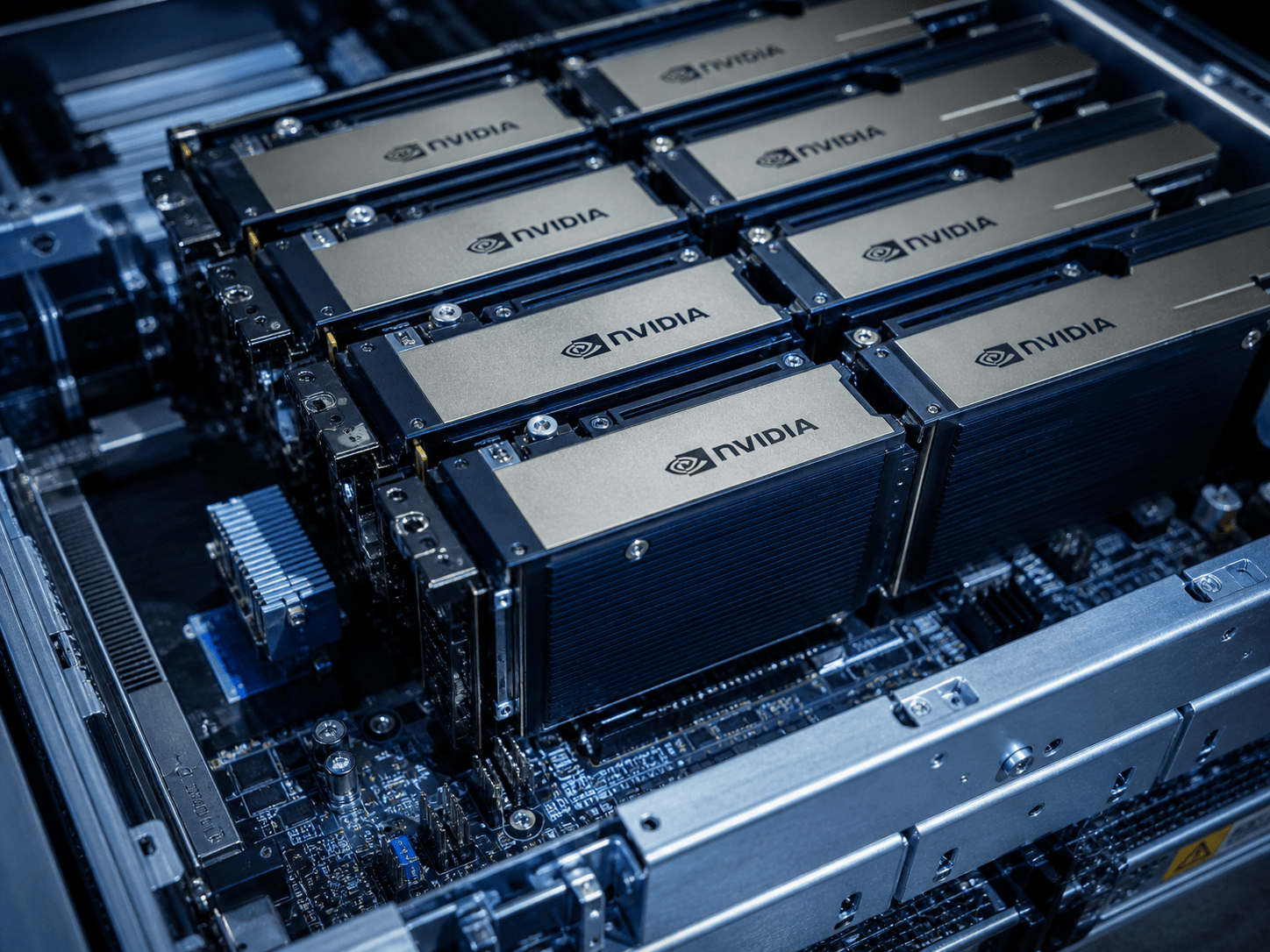
The Cost-Performance Paradox: Why Hyperscalers are Killing Your ROI
The most common mistake I see in this industry is the “Default to Giants” strategy. Teams assume that because they already use the major hyperscalers for their databases and web servers, they should run their AI workloads there too.
The Premium You’re Paying The real kicker is that hyperscalers aren’t optimized for GPU price-to-performance; they are optimized for enterprise compliance and ecosystem lock-in. You aren’t just paying for the silicon; you’re paying for the redundant power grids, the SOC2 audits, and the integrated billing. While that matters for a bank, it’s often overkill for an AI agent performing market research or drafting content. This realization is what drives smart developers to move their workloads toward specialized providers that focus exclusively on affordable GPU hosting for AI models.
-
The Mark-up: In many cases, an H100 instance on a Tier 1 cloud can cost $12–$15 per hour, while the same hardware on a specialized GPU cloud might sit at $2–$4 per hour.
-
The “Idle Tax”: Hyperscalers often force you into hourly or monthly commitments. If your agent runs for 45 seconds every ten minutes, you are effectively paying for a machine to sit warm and do nothing 90% of the time.
Identifying Your “Compute Persona”: Inference vs. Fine Tuning
Here’s where most people trip up: they buy the GPU they think they need based on a benchmark, rather than the one that fits their specific lifecycle costs. To find affordable hosting, you must first diagnose whether you are a “Thinker” or a “Doer.”
The Inference Workload (The “Doer”) If you are running an agent fleet that handles customer queries or processes real-time data, your primary concern is Latency and VRAM. For these continuous tasks, the math only works if you can maintain a low-cost infrastructure, which is why affordable GPU hosting for AI inference is the go-to choice for high-volume fleets.
-
The Sweet Spot: Consumer-grade cards like the RTX 4090 (24GB VRAM) are the unsung heroes of affordable hosting. They can handle most 7B to 30B parameter models (when quantized) with incredible speed.
-
The Goal: High throughput for the lowest possible hourly rate.

The Fine-Tuning/Training Workload (The “Thinker”) If you are teaching a model a new skill or training on a massive dataset, you need Interconnect Bandwidth (NVLink).
-
The Necessity: This is where you actually need the enterprise-grade A100s or H100s. Consumer cards lack the “talk-to-each-other” speed required for distributed training.
-
The Strategy: Use “Spot Instances” discounted hardware that can be reclaimed at any time for these jobs. Since training can be “checkpointed” and resumed, the risk of a server shutting down is worth the 70% discount. Even for heavy-duty training, leveraging spot instances remains the most reliable method to achieve affordable GPU hosting for AI development without overspending.
The “Goldilocks” GPU In my experience, the NVIDIA L40S has become the middle-ground favorite for international benchmarks. It offers massive VRAM for inference without the “Training Tax” of the H100, making it one of the most cost-effective ways to scale an agent department.
The Specialized Cloud Landscape: Navigating Tier 2 Providers
When you move away from the major hyperscalers, the landscape divides into two distinct “Global Market” models: Marketplace Aggregators and Managed GPU Clouds. Understanding the logic behind these is essential for maintaining ROI. Marketplaces have essentially commoditized compute power, making affordable GPU hosting for AI accessible to individual researchers and small-scale agencies alike.
The Marketplace Model (The “Bargain Bin” Strategy) Providers like Vast.ai operate as a marketplace. They don’t own the servers; they provide the software layer for independent data centers to rent out their excess capacity.
-
The ROI Logic: This is where you find the absolute floor on pricing. In 2026, you can rent an RTX 4090 for roughly $0.29/hr.
-
The Trade-off: Reliability is variable. Since you’re renting from diverse hosts, you might encounter a host with a slow internet connection or a less-than-ideal cooling setup. This is best for non-critical background agents.
The Managed GPU Cloud (The “Production Standard”) Providers like RunPod and Lambda Labs own their hardware or work with vetted Tier 3 data centers. Ultimately, choosing between a managed cloud or a marketplace depends on your uptime needs, but both paths offer a significant upgrade over traditional clouds when seeking affordable GPU hosting for AI projects.
-
The ROI Logic: You pay a small “Management Premium” for stability. An H100 PCIe here might cost $2.39/hr, but it comes with a unified API, better templates, and predictable uptime.
-
The Winner for Agents: For a professional deployment, I typically recommend the RunPod “Secure Cloud.” It balances the aggressive pricing of the Tier 2 market with the security features needed for cross-border collaboration.
Serverless GPUs vs. Persistent Pods: The Math of “Always On”
The most common mistake I see in agentic design is running a dedicated GPU for a task that only triggers sporadically. Let’s be honest: paying for a GPU to sit idle is just burning money.
The Case for Serverless (Pay-by-the-Second) Serverless GPU platforms (like RunPod Serverless or Modal) allow you to autoscale to zero.
-
The Logic: You pay per millisecond of execution time. If your agent is triggered by a webhook once an hour, your monthly bill will be pennies.
-
The “Real Kicker”: Cold Starts. The most common problem is the 2-4 second delay while the container spins up. If your AI agent needs to respond to a live chat user, a 4-second delay is a deal breaker.
The Case for Persistent Pods (The “Always-On” Worker) A persistent pod is a dedicated container that stays running 24/7.
-
The Logic: Zero latency. The model is already loaded in VRAM, ready to answer.
-
The Math: If your agent handles more than 4 hours of continuous compute per day, the hourly rate of a persistent pod usually becomes cheaper than the per-second premium of serverless.
The Hybrid Approach: In my years of managing digital assets, I’ve found that the most efficient teams use Serverless for development and “burst” tasks, while maintaining a Persistent Pod for their primary user-facing API.
Managing the “VRAM Bottleneck”: The Invisible Ceiling
In the agentic era, VRAM is the new gold. As a website administrator and content creator, you know that efficiency is what separates a profitable project from a money pit. The “Invisible Ceiling” isn’t the speed of your GPU; it’s the amount of memory it has to hold your model and its context.
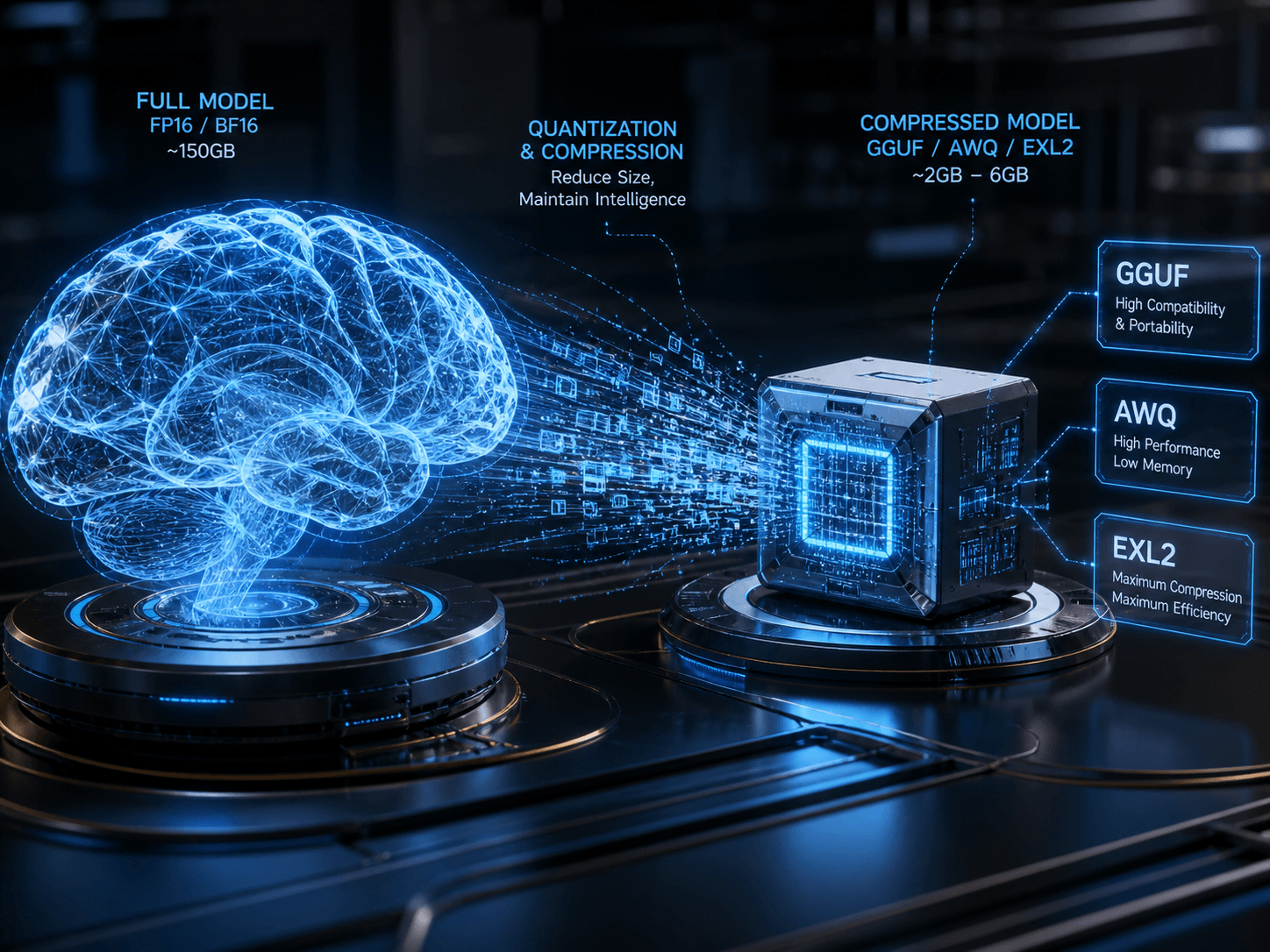
The Math of 2026 Quantization
To stay affordable, you must master the three dominant quantization formats. Think of these as the “file compression” of the AI world:
| Format | Best For… | Why use it? |
| GGUF | CPU/Hybrid Inference | The “Swiss Army Knife.” Ideal if you need to offload some layers to system RAM to save on GPU costs. |
| AWQ | Production Speed | The speed king for 2026. Optimized for vLLM and Marlin kernels, offering the highest throughput on NVIDIA GPUs. |
| EXL2 | High-Precision VRAM | Best for fitting “just a little more” into a 24GB card (like the 4090) while maintaining high accuracy for complex logic. |
Ammar’s Professional Tip: Don’t chase the highest precision (FP16). In my experience, a 4-bit or 5-bit (Q4_K_M/Q5_K_M) quantization is the “Goldilocks” zone you save 70% on memory with only a ~2-5% hit to logic accuracy. This is how you run a 70B model on a single affordable L40S ($0.86/hr) instead of an H100 ($2.49/hr).
The “Invisible” Costs: Egress, Storage, and Technical Debt
The sticker price of a GPU is a decoy. If you only look at the hourly rate, you’ll be blindsided by the end-of-month invoice.
-
Egress Fees (The Data Exit Tax):
Hyperscalers like AWS/Azure charge roughly $0.08–$0.09 per GB for data leaving their network. If your agents are processing large video files or massive datasets, this can quietly double your bill.
-
The Fix: Look for “Zero Egress” providers like Lambda or GPULab.ai.
-
-
Persistent Storage vs. Network Volumes:
-
Container Disk: Cheap (usually ~$0.10/GB/month), but it disappears when you stop the pod. You’ll waste 20 minutes re-downloading models every time you start.
-
Network Volumes: These survive “hibernation.” At $0.20/GB/month, they are a mandatory investment for professional administrators to avoid “Data Gravity” issues.
-
-
The “Idle Volume” Penalty:
Some providers like RunPod charge more for storage when the GPU is off ($0.20/GB) than when it’s on ($0.10/GB).
Security in Shared Environments: Protecting Your Weights and Logic
When you move to affordable, multi-tenant hosting (where you share a physical server with other users), security becomes a mechanical necessity rather than a compliance checkbox.
-
The “Cold Memory” Risk: In 2025/2026, vulnerabilities like CVE-2025-23266 proved that if a GPU isn’t properly cleared between users, “leftover” data can be leaked.
-
MIG (Multi-Instance GPU): If you are using high-end chips like the H100 or A100, ensure your provider uses NVIDIA MIG. This creates a physical hardware wall between you and the other “tenants” on that chip.
-
The “Sandboxed” Strategy: Always run your agents in hardened runtimes like gVisor or Kata Containers. These act as a lightweight “protective suit” for your code, preventing a neighbor’s malicious script from jumping into your environment.
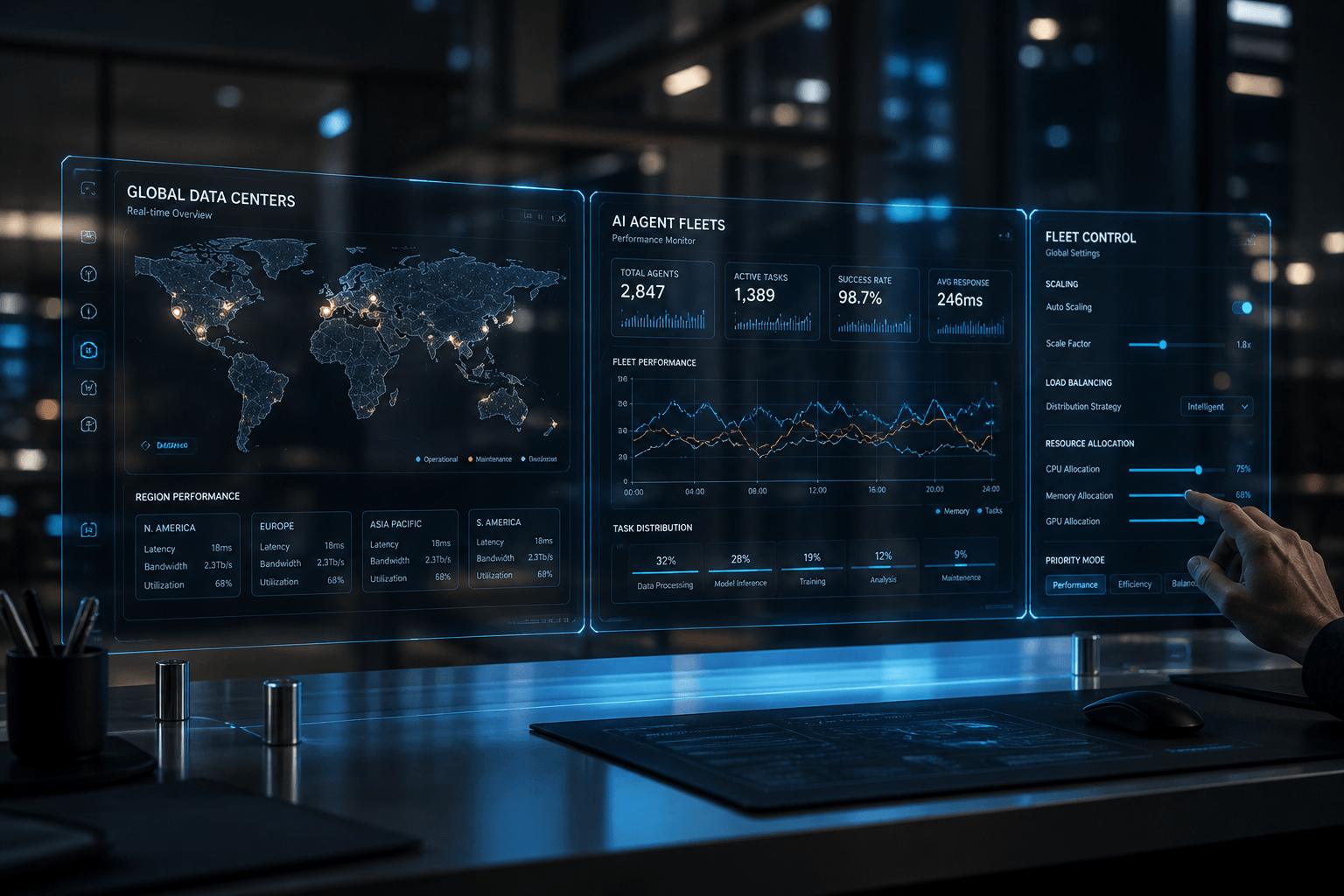
Orchestration & Scalability: Moving from One Agent to a Fleet
Scaling isn’t just about “buying more GPUs.” It’s about Pooled Capacity.
-
Kubernetes (K8s) is the Industry Standard: If you plan to run more than 5 agents, do not manage them manually. Use a K8s-native provider like CoreWeave or Northflank.
-
The “Self-Serve” Layer: For your content creation workflows, build a “Dispatcher.” Instead of having an agent wait for work, have a central script that “books” a GPU via API, runs the job, and kills the instance immediately. This is how you achieve 99% cost efficiency.
Edge Cases & Lifecycle Risks: The Danger of “Spot Instance” Eviction
In my career, I’ve learned that the cheapest hardware is often the most “volatile.” If you’re using marketplace providers like Vast.ai or the Community Cloud on RunPod, you are likely using “Spot” or “Interruptible” instances. These are GPUs that the provider can take back with as little as a 30-second warning if a higher-paying customer arrives.
The “Eviction-Proof” Architecture To run a professional operation on budget hardware, you must treat your agents like they are immortal but their “bodies” (the servers) are temporary.
-
Stateful Persistence: Never store your agent’s memory in the local container disk. Use a Network Volume or an external Redis database. In May 2026, the standard is to use LangGraph’s persistence layer, which automatically saves the agent’s state after every single node execution.
-
The “Exit Signal” Hook: Most affordable providers send a
SIGTERMsignal before killing your instance. You can write a small Python script to catch this signal and force an immediate “Emergency Save” of your agent’s current task to your persistent storage. You usually have about 30 to 60 seconds to act. -
Checkpointing for Long Tasks: If your agent is doing a “Deep Research” task that takes 20 minutes, don’t wait for the end. Save a “Checkpoint” every 2 minutes. If the instance is evicted, a new one can spin up and resume from the last 2-minute mark rather than starting over.
The Administrator’s Execution Blueprint: A 30-Day Budget Optimization
As a website administrator, your goal is a “Hands-Off” infrastructure that pays for itself. Here is how I would migrate a content/SEO agent workflow from expensive APIs to affordable self-hosting over the next month:
Week 1: The Audit & Persona Match
-
Identify which agents are “High Volume” (Inference) and which are “High Intelligence” (Deep Reasoning).
-
Action: Move your high-volume summarization or SEO meta-tagging agents to an RTX 4090 on RunPod or Spheron ($0.34 – $0.55/hr).
Week 2: Quantization Testing
-
Convert your favorite models to AWQ or GGUF (4-bit/5-bit).
-
Action: Test if your “Writer” agent loses its “Human Soul” style at 4-bit. If it does, bump it to 6-bit or use an L40S (48GB) to run a larger model without compression.
Week 3: Persistence Setup
-
Connect your containers to a Network Volume.
-
Action: Ensure your model weights are stored on the volume so you don’t pay “Download Time” (which is effectively paying for a GPU to sit idle while it downloads 20GB of data).
Week 4: The “Scale to Zero” Optimization
-
Evaluate your traffic. If your agents only work during your business hours, set up an automated script to “Stop” your pods at 6 PM and “Start” them at 8 AM.
-
Action: Transition your least-used tools to Serverless GPU endpoints (like Modal) so you only pay for the exact seconds they are processing your articles.
Final Verdict: The “Smart Money” Stack for May 2026
If you want the best ROI today without the headache of constant maintenance:
-
For Production Agents: Use RunPod Secure Cloud with NVIDIA L40S ($0.86/hr). It’s the most stable “Pro” card for the price.
-
For Scraping/SEO Tasks: Use Vast.ai with RTX 4090s ($0.30/hr). The risk of eviction is worth the 70% savings for these non-critical tasks.
-
For the Content Creator: Keep your models at 5-bit quantization. It preserves the nuances of your writing style while fitting into 24GB of VRAM perfectly.
This isn’t just about saving money; it’s about building a digital asset that is sustainable. In the 2026 AI economy, the winner isn’t the person with the smartest model it’s the person who can run that model for the lowest cost per token.

